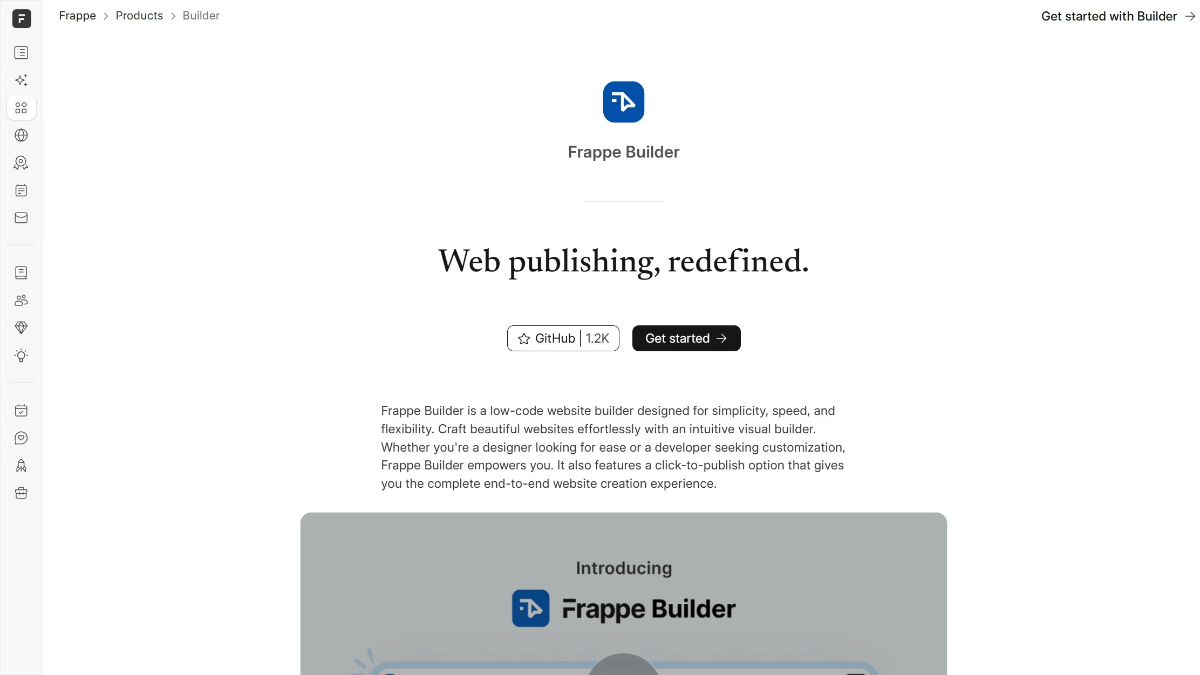
Frappe Builder - Open source AI low-code website builder, drag-and-drop components for fast building

What is Frappe Builder?
Frappe Builder is open source low-code website builder, developed by Frappe, the core feature is to provide Figma-like visual editor, support drag and drop components to quickly build a website. Belongs to the Frappe ecology (Frappeverse) part , compared with traditional AI site-building tools , Frappe Builder's advantage is that the operation is intuitive and controllable , the user can adjust the style and layout directly through the interface , no programming basis. Open source features allow free expansion, suitable for personal display or small business rapid deployment of the site.
Features of Frappe Builder
- Visualization Editor: Provides an intuitive interface similar to Figma, with drag-and-drop components to quickly build web pages without writing code.
- responsive design: Ensure that the website is perfectly adapted to provide a consistent user experience on all devices (mobile, tablet, desktop).
- Integration with Frappe CMS: Ability to dynamically fetch data from the Frappe database, support content management system integration, and enable dynamic page presentation.
- Scripting and Style Extensions: Support for adding custom scripts and styles to meet complex interaction requirements and personalized design.
- One Click Publishing: Once the design is complete, the site can be deployed to the production environment with a single click for rapid go-live.
- performance optimization: Pages are lightweight and free of redundant scripts and styles, ensuring fast loading and excellent performance.
- Multiple deployment methods: Supports deployment via Frappe Cloud hosting or local servers for flexibility to meet different needs.
- Dynamic Content Management: Supports dynamic content updating, suitable for websites that need to update information frequently.
- easy get started: Both designers and developers can quickly master and use it, lowering the development threshold.
Frappe Builder's core strengths
- Low-code development: With the visual editor, users can quickly build websites without having to write in-depth code, lowering the development threshold.
- Efficient design: Provides an intuitive Figma-like experience with drag-and-drop component support and quick layout adjustments to improve design efficiency.
- Responsive Support: Ensure that the website displays perfectly on different devices, adapts to the needs of multiple ends, and enhances the user experience.
- deep integration: Deep integration with Frappe CMS and the Frappe ecosystem to support dynamic content management and data-driven page presentation.
- superior performance: Pages are lightweight and free of redundant scripts and styles to ensure fast loading and optimized site performance.
- Height can be customized: Support for custom scripts and styles to meet complex business logic and personalized design needs.
- One Click Publishing: The design can be quickly deployed to production environments after completion, simplifying the release process and accelerating time to market.
- Flexible deployment: Support for Frappe Cloud hosting and local server deployments to meet different user needs.
What is Frappe Builder's official website?
- Project website:: https://frappe.io/builder
- GitHub repository::https://github.com/frappe/builder
Who Frappe Builder is for
- Designers from non-technical backgrounds: Quickly turn designs into actual web pages with a visual editor, without having to write code.
- small business owner: Quickly build a corporate website or marketing page without the need for a professional development team.
- Free Developer: Save development time by quickly prototyping projects with low-code tools.
- e-commerce operator: Build and manage e-commerce pages and quickly update product information and promotions.
- content creator: Build a personal blog, portfolio, or online educational platform to showcase creativity and content.
- In-house team: Develop internal management systems or employee collaboration platforms to enhance work efficiency.
© Copyright notes
Article copyright AI Sharing Circle All, please do not reproduce without permission.
Related posts


No comments...
 English
  简体中文
简体中文  日本語
日本語  한국어
한국어  Русский
  Español