Zen Browser - Open source AI web browser based on Firefox kernel

What is Zen Browser
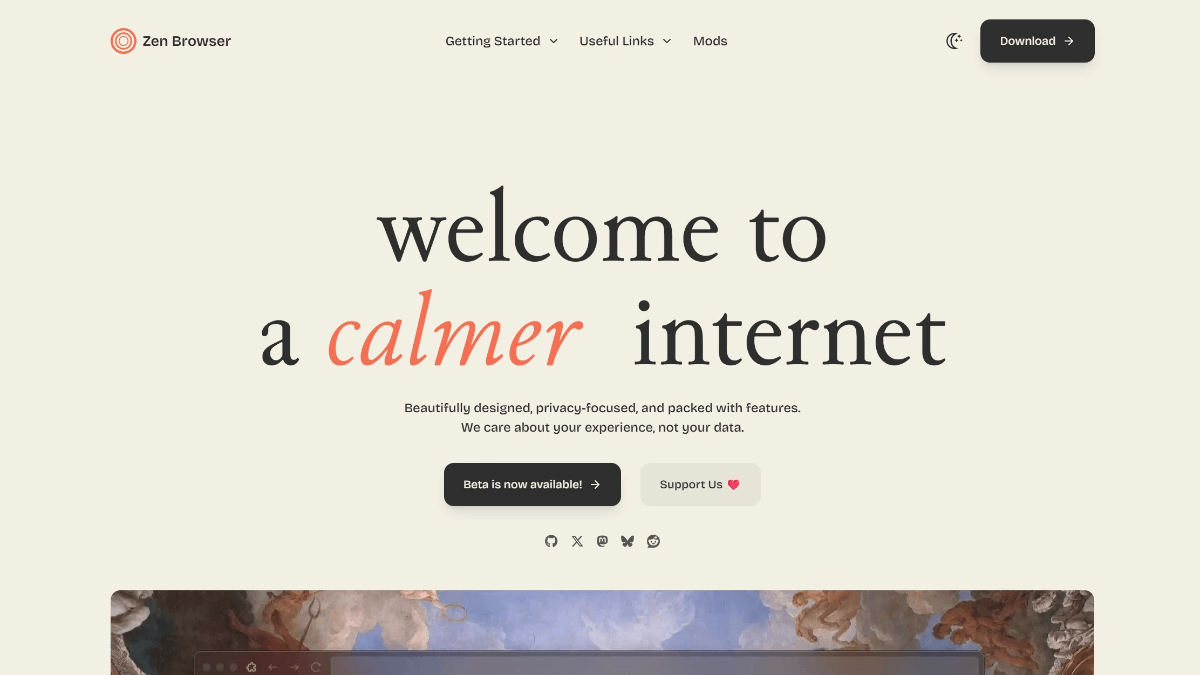
Zen Browser is an open source browser based on the Firefox kernel, focusing on a simple and efficient browsing experience, with the core features of vertical tab bar and workspace isolation. With the sidebar design, it can clearly display the full titles of 50+ tabs and supports multi-window split-screen browsing. Compared to Chrome, Zen has a lower memory footprint (saving 40% in the same scenario), built-in ad blocking and privacy protection. It currently supports Windows, macOS and Linux systems, with an installation package of about 70MB, and the latest version can be downloaded via GitHub.
Features of Zen Browser
- Privacy: Built-in ad and tracker blocking to protect user privacy by blocking ads, trackers and other unwanted content.
- simple interface: Removes many of the features found in traditional browsers, such as advertisements and pop-ups, allowing users to enjoy a refreshing browsing experience.
- Focused Mode: Limit non-essential browser distractions, such as disabling social media notifications, ads, and unnecessary page elements.
- Efficient label management: The first vertical tab tree + sidebar layout, with a smart folding panel on the left side that organizes all the tabs and frees up the 85% horizontal display area.
- Native Split Screen Browsing: Display two web pages side-by-side in the same tab without using third-party tools.
- Excellent performance: The installation package is only about 70MB, the cold start speed is 1.8 times faster than mainstream browsers, and the memory usage is reduced by 35%.
- Multi-Platform Compatibility: Supports three major operating systems: Windows, macOS, and Linux.
Core Benefits of Zen Browser
- Ultimate lightweight and high-speed experience: The installation package is only 70MB, the startup speed is 1.8 times faster than mainstream browsers, the memory consumption is reduced by 35%, suitable for low-configuration devices, and the web page loads smoothly.
- Strong privacy protection: Automatically block ads, trackers and malicious scripts, built-in enhanced anonymity mode, open source and transparent code, eliminating backdoor risks.
- Efficient Productivity Functions: The first vertical tab tree + sidebar layout, releasing 85% horizontal display area; support for native split-screen browsing to improve multi-tasking efficiency; multiple workspace isolation, complete data separation.
- Simple and non-intrusive interface: Minimalist design, no unnecessary distractions, focus on the content itself; Compact mode can hide the toolbar and status bar, maximizing the content display area.
- Highly customizable: Provides a theme store, supports custom search engines, privacy settings and shortcuts, and is compatible with most Firefox plug-ins.
What is Zen Browser's official website
- Project website:: https://zen-browser.app/
- GitHub repository:: https://github.com/zen-browser/desktop
Who Zen Browser is for
- Efficient Office ProfessionalsFor those who need to work on multiple tasks at the same time and frequently switch between web pages and documents, Zen Browser's efficient tab management and split-screen browsing features can significantly improve work efficiency.
- Low-configuration equipment users: Its lightweight design and low resource consumption are especially suitable for users with older computers or less configured devices, enabling them to get a smooth Internet experience without upgrading their hardware.
- Users who prefer a simple interface: Suitable for those who prefer a clean, distraction-free browsing interface and want to focus on the content of the page itself without being distracted by superfluous elements.
- Multi-platform users: If users are switching between different operating systems (e.g. Windows, macOS, Linux), Zen Browser's multi-platform compatibility can meet their needs.
- Technology Enthusiasts & Developers: The open source nature of the browser allows technology enthusiasts and developers to participate in customizing and improving the browser, or to build on its code to meet individual needs.
- student population: Students need to efficiently access information and manage multiple learning resources during their studies and research, and the Zen Browser's focus mode and multitasking capabilities help improve learning efficiency.
© Copyright notes
Article copyright AI Sharing Circle All, please do not reproduce without permission.
Related posts



No comments...
 English
  简体中文
简体中文  日本語
日本語  한국어
한국어  Русский
  Español