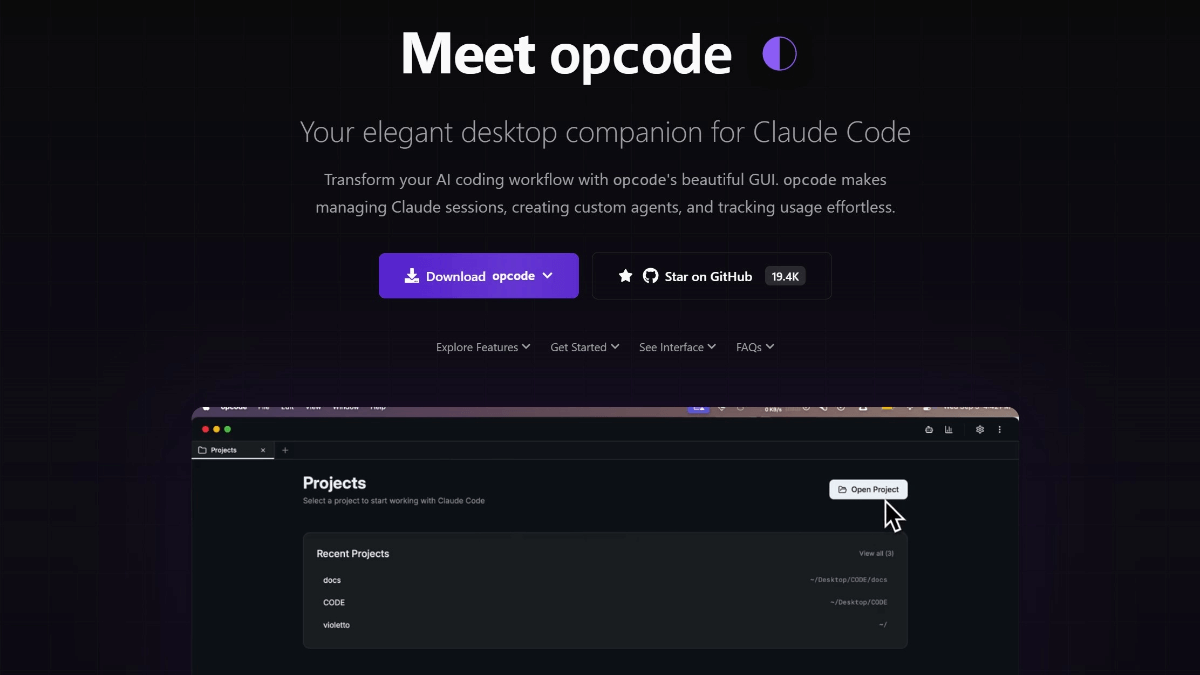
opcode - open source graphical desktop application designed for Claude Code

What is opcode?
opcode is an open source graphical desktop application designed for Claude Code, developer winfunc based on the Tauri 2 + React 18 + Rust development. Provides a visual interface to manage Claude Code projects, supports creating Agents, viewing session history, tracking API usage and other functions, all data run locally to protect privacy and security. Features include timeline session management, cost statistics panel, concurrent execution of multiple Agents, etc., which significantly improves the experience of using Claude Code. Currently supports macOS and Linux platforms.
Features of opcode
Project and session management: Automatic identification of project catalogs ( ~/.claude/projects/)Visually view, search and restore session history with support for timeline snapshots vs. diff.Customizing Claude Agent: Supports setting system prompt words, running privileges, model selection, etc.Runs asynchronously in the background and has a built-in Agent library for managing multiple assistants. Using the Data Analysis Panel: See in real time what the API is consuming Token and costs.Supports multi-dimensional statistics by project, model, time, etc. and provides chart visualization. Centralized management of MCP model servers: Visualize add/configure/test self-builds Claude Modeling Services.Importing configurations from Claude Desktop is supported. CLAUDE.md File Editor: Built-in Markdown editor + live preview with syntax highlighting and item scanning support.
Core benefits of opcode
Visualization Interface: Transforms command-line operations into an intuitive graphical interface, so say goodbye to fumbling terminal operations. One-stop management platform: Integrate multiple functional modules such as session management, Agent configuration, and data analysis. Real-time preview function: Built-in Markdown editor supports real-time preview, writing documents more convenient. - Fully local operation: All data is processed locally and no session content is uploaded to the cloud.
seamless integration: Fully compatible with the existing Claude Code ecosystem, with automatic recognition of project directories. Configuration Migration: Supports importing server configurations from Claude Desktop.
What is opcode official website
- Project website:: https://opcode.sh/
- GitHub repository:: https://github.com/winfunc/opcode
Who is opcode for?
- AI-assisted developers: Developers who want to develop in Claude Code but prefer a graphical interface to the command line.
- open source project contributor: Programmers interested in improving AI development tools and willing to participate in community contributions.
- cross-platform user: Users who need to use Claude Code in a macOS, Linux or Windows (via WSL) environment.
© Copyright notes
Article copyright AI Sharing Circle All, please do not reproduce without permission.
Related articles



No comments...
 English
  简体中文
简体中文  日本語
日本語  한국어
한국어  Русский
  Español