
Adobe has introduced a new AI assistant feature that enables searching and summarizing PDF document content.
On Tuesday, Adobe launched an artificial intelligence assistant in its Reader and Acrobat applications that can summarize PDFs and other documents and answer questions about them. The AI assistant, which is still in beta, is currently live in Acrobat. "Over the next few days to weeks...
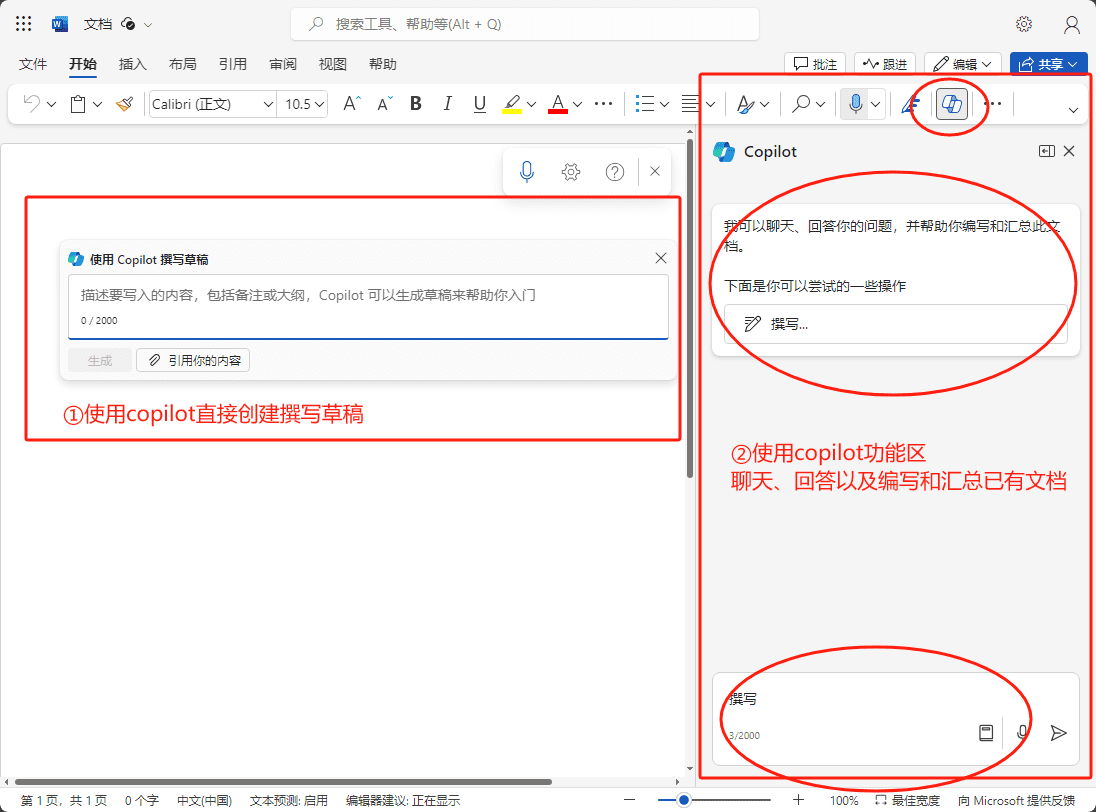
Copilot for Microsoft 365 User Guide
After thinking about it, this article still needs to be written. Too many partners came to buy, but after getting the account simply can not start, or not quite clear about the use of various places need to pay attention to what. So, I'm going to write about it. The article should be longer, because I intend to put copilot all the details of the use...

copilot studio instructions
Log in to change your password Get your account number and password. Login at [https://copilotstudio.microsoft.com/] Change the initial password to your own and remember your changed password. The new password needs to contain both upper and lower case letters...
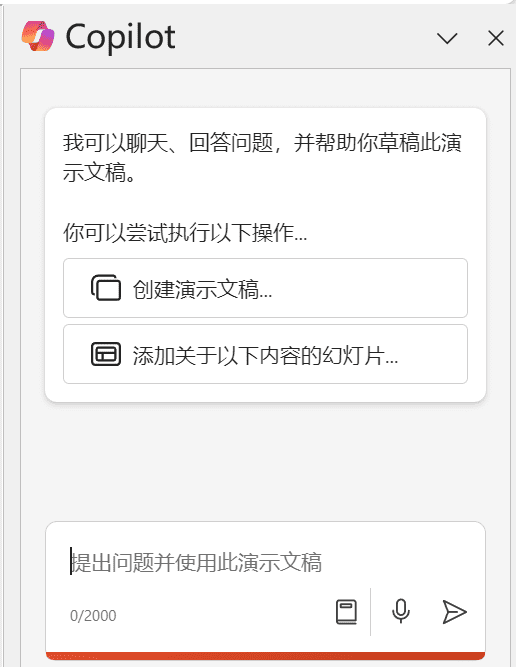
Copilot for PowerPoint Create PPT from files
In the personal or home version of PowerPoint copilot Pro, only through manual input to create or add slides directly to the option: while in the copilot for Microsoft365 Business Edition, there are more "by file creation ...
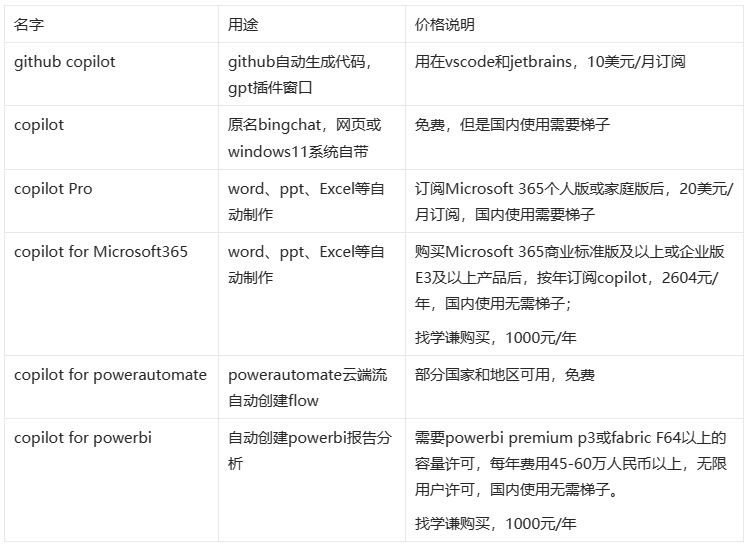
Naming rules for Copilot Series products
One of Microsoft's very first copilot products was github copilot, launched in 2021, and officially paid for commercialization in 2022. In 2023 on top of that it launched github copilot chat, with chatgpt Q&A mode class...
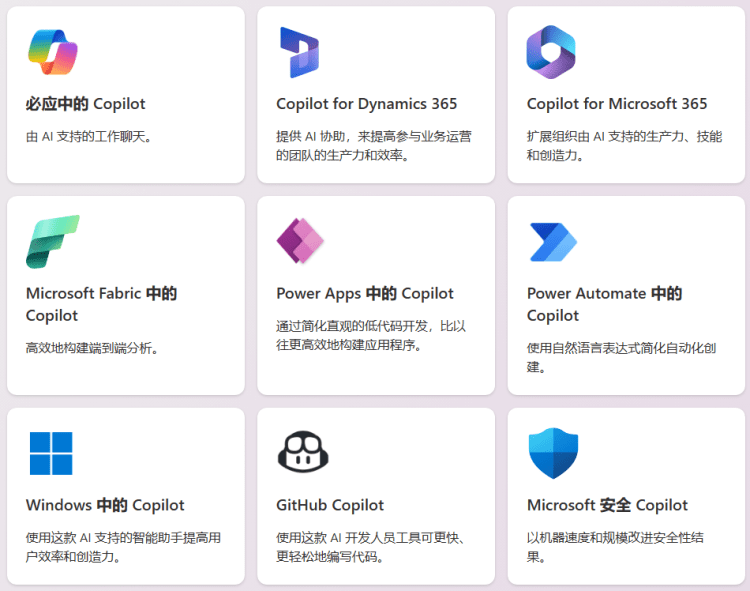
Microsoft Copilot Varieties and Pricing Explained in One Article
Microsoft Copilot is an AI assistant that delivers innovative solutions across the Microsoft Cloud.Copilot makes complex tasks easier to manage to facilitate collaborative environments and enhance the user experience. Currently Copil...
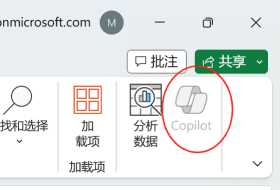
A trick to solve the status quo of Copilot unavailability in Excel Client
Many partners have used the copilot function in the office suite Most people use the Word and PowerPoint functions, but there are some partners who use the copilot function in Excel. However, a number of users reflect that Exc...
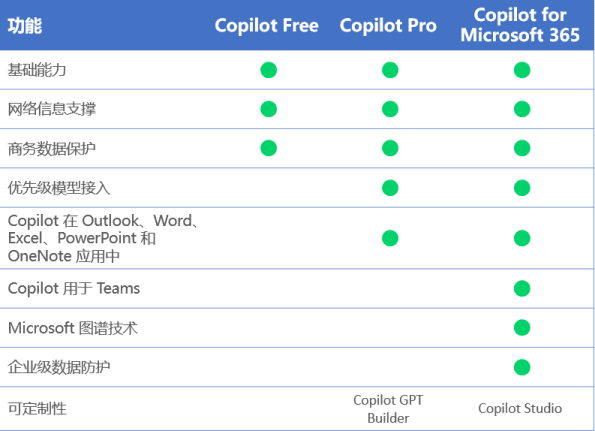
A closer look at the similarities and differences between Copilot for Microsoft 365 and Copilot Pro
Recently, many of my buddies have been using Copilot and started to feel the role and enhancement that Copilot plays in productivity tools. What is the difference between Copilot for Microsoft 365 and Copilot Pro?
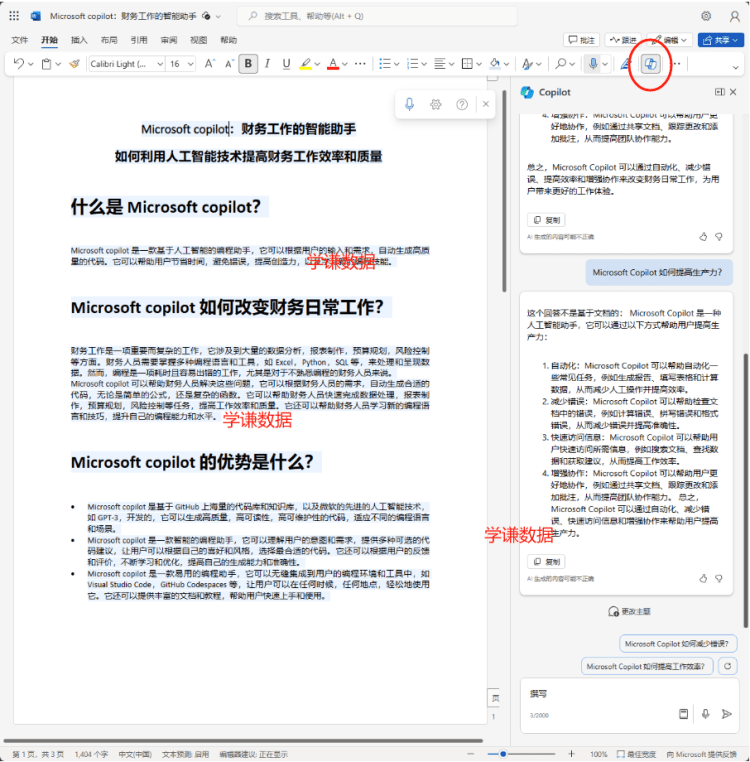
Copilot for Microsoft 365 Account Introduction and Answers to Related Questions
What's included in the purchased account Microsoft's official website to apply for an office365 business standard edition account +copilot for office features in Word, Excel, and PowerPoint, as well as teams, outlook, and other production...

Best practices for writing prompts in Copy.AI workflows
Construction of Hints Good hints generally begin with a statement of relevant data or context and end with specific instructions on what to do. Doing so gives the AI a clear understanding of the information that must be processed before it understands how it should be utilized. For example: If you want the AI to create a...
 English
  简体中文
简体中文  日本語
日本語  한국어
한국어  Русский
  Español