
What features does PixVerse have in Discord? How should I use these features?
PixVerse currently consists of four main features: - /create - /animate - /meme_face HD zoom (no commands) Please click on this link to view our tutorial for more information. If you have any other questions...
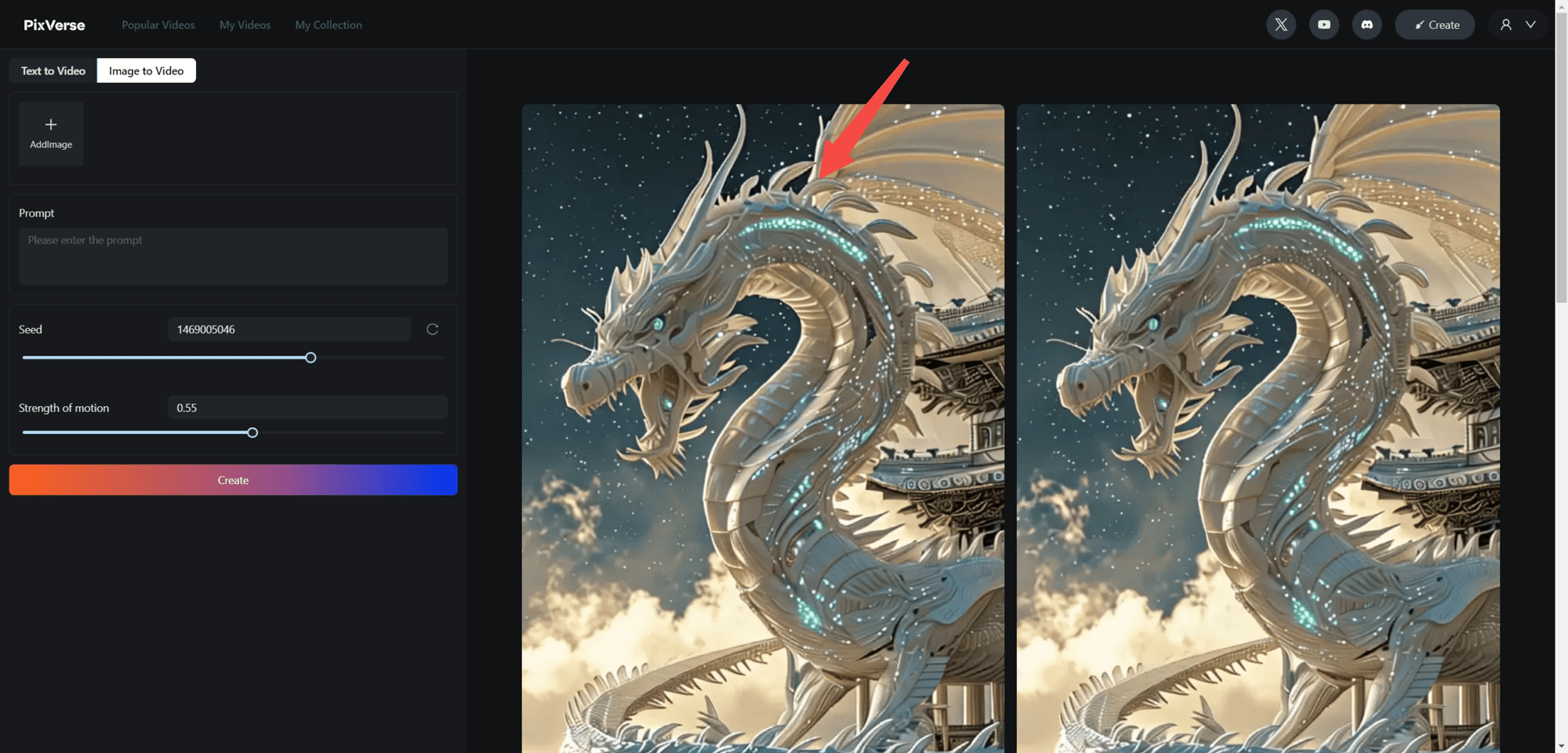
PixVerse Tutorial: Web version to improve the quality of generated videos
🔥 PixVerse provides you with the `Upscale` feature that allows you to upgrade your video to 4k resolution (the final video size will be 3840×2160). -1.Click on the video you want to upgrade 2.Go to the details page, then click...
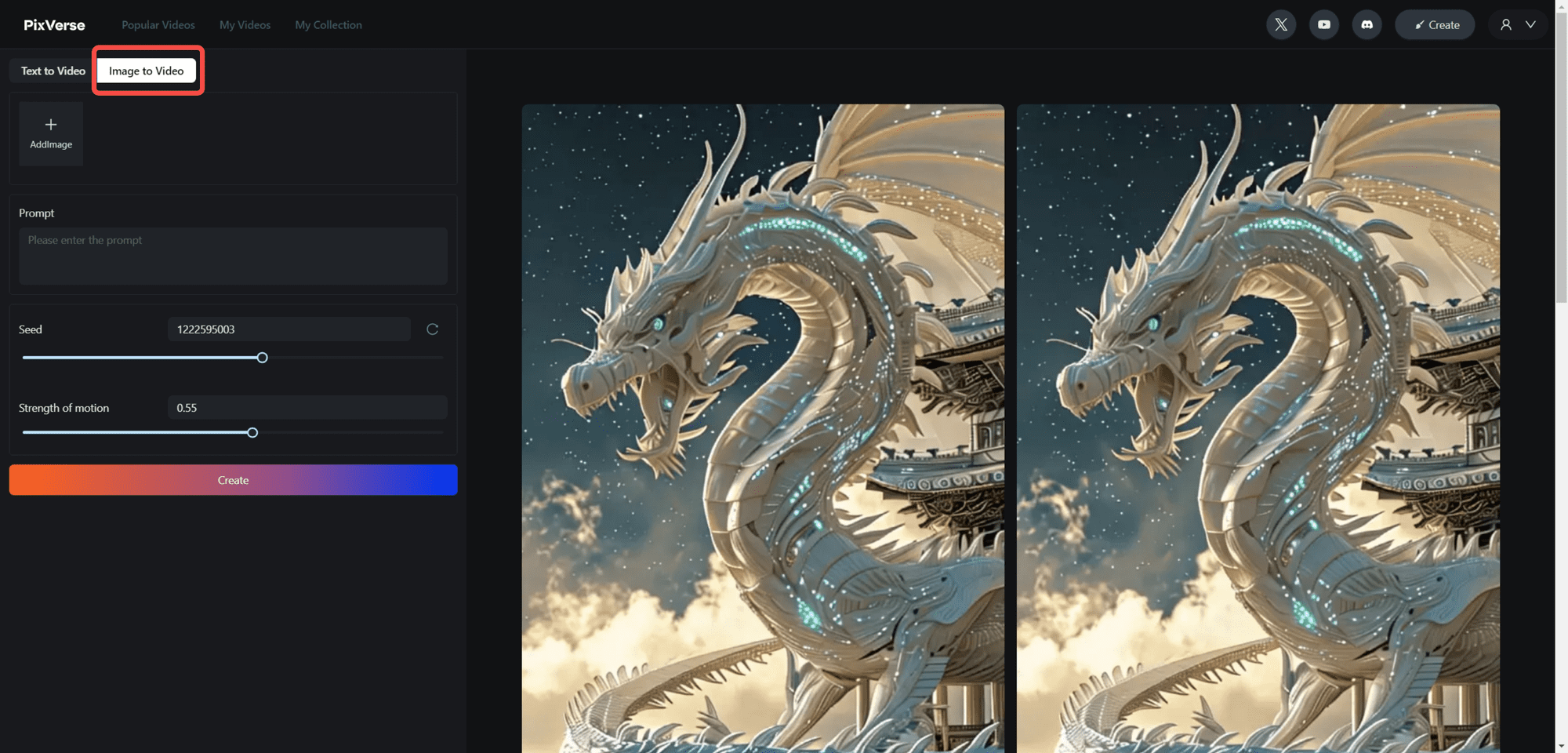
PixVerse Tutorial: Using Images to Generate Lifelike Videos on the Web
1. select the `Image to Video` tab 2. upload a new image, or select an existing image from your footage Two options will be displayed when the cursor is hovered over the Add Image `AddImage` block. Select a clip by clicking...
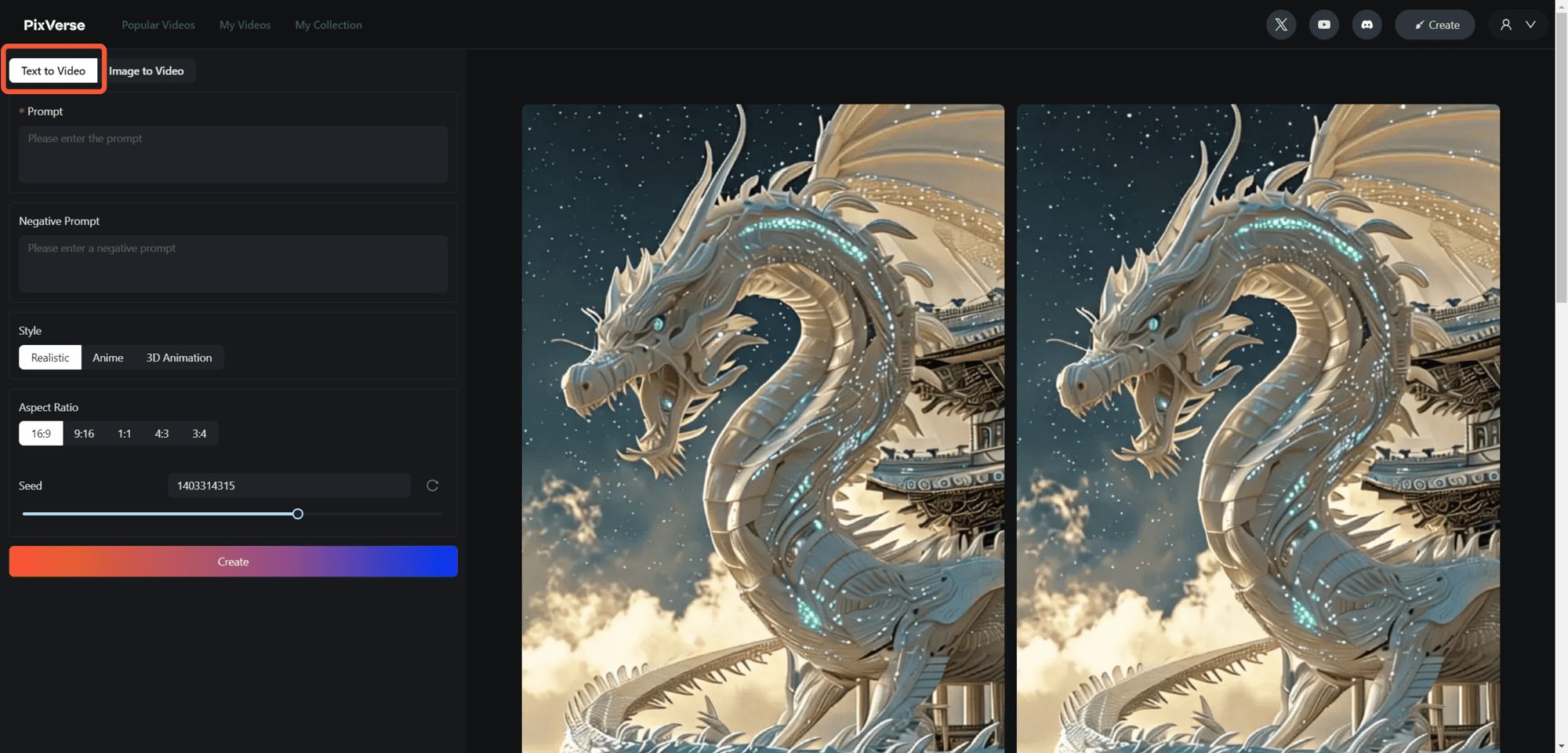
PixVerse Tutorial: Using Text Prompts to Generate Videos in Web Pages
1.Check the `Text to Video` tab 2.Describe and write what you want in the `Prompt` section 3.If you don't want certain content to appear in your video, write them in the `Negative Pro...
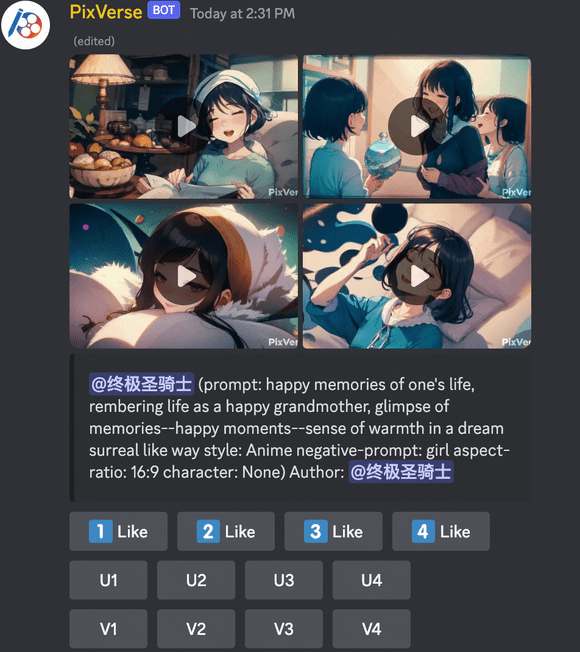
PixVerse Tutorial: Improving Video Quality in Discord
1.Generate your videos using text prompts or images 🤔️ Curious about how to create these videos? No problem, check out the links below! ✅ Use /Create to generate your video with a text prompt 🌟 Use /Animate to bring your image to life 2. ...
PixVerse Tutorial: Creating Videos with Face Images using /Meme_face in Discord
1. click and enter any generated room channel 2. first type "/" and select the "/meme_face" command from the popup menu 3. upload an image `image` and let's turn that face into an emoji ...
PixVerse Tutorial: Using /Animate in Discord to bring your images to life in video!
1. click and go to any Generate Room channel 2. type '/' and then select the '/animate' command from the popup menu 3. upload the `image` image that you want to animate 4. action The action can now be...
PixVerse Tutorial: Using /Create in Discord to Generate Videos with Text Prompts
1. Click and enter any Generate Video Room channel. 2. type `/` and select the `/create` command from the pop-up menu. ### 3. Type anything you want to use as a `prompt`. (For example) `/c...
Free use of gemini-pro in immersive translation
Preparation Not suitable for the operation of the white man, gemini directly used as a translation effect compared to other free translation tools have no advantage. Similarly, this method can do a lot of things. 1. Install the "Immersive Translation" plug-in 2. Have an independent domain name (first and second level can be) 3. Have a cloud...
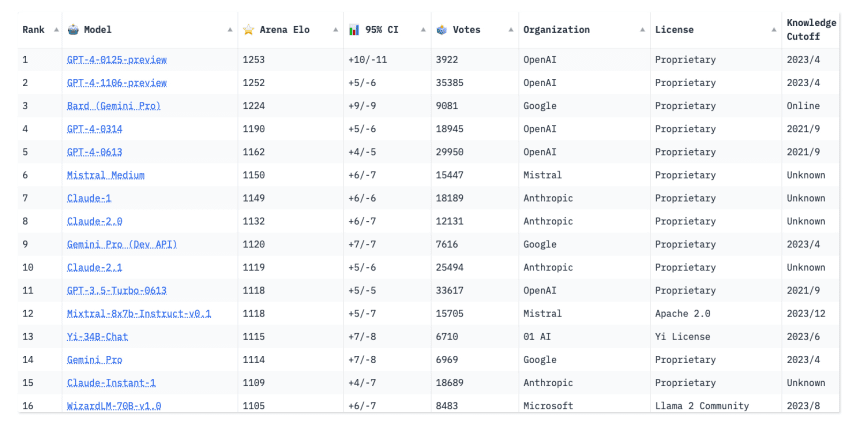
ChatGPT still tops many AI charts, but the competition is right behind it
How do you determine the most powerful AI models currently available? Just take a look at the leaderboards. Community-compiled leaderboards for AI models have surged in popularity online in recent months, providing a real-time window into the jockeying of major tech giants in the AI space. The various leaderboards document which...
 English
  简体中文
简体中文  日本語
日本語  한국어
한국어  Русский
  Español